A clean page, not code
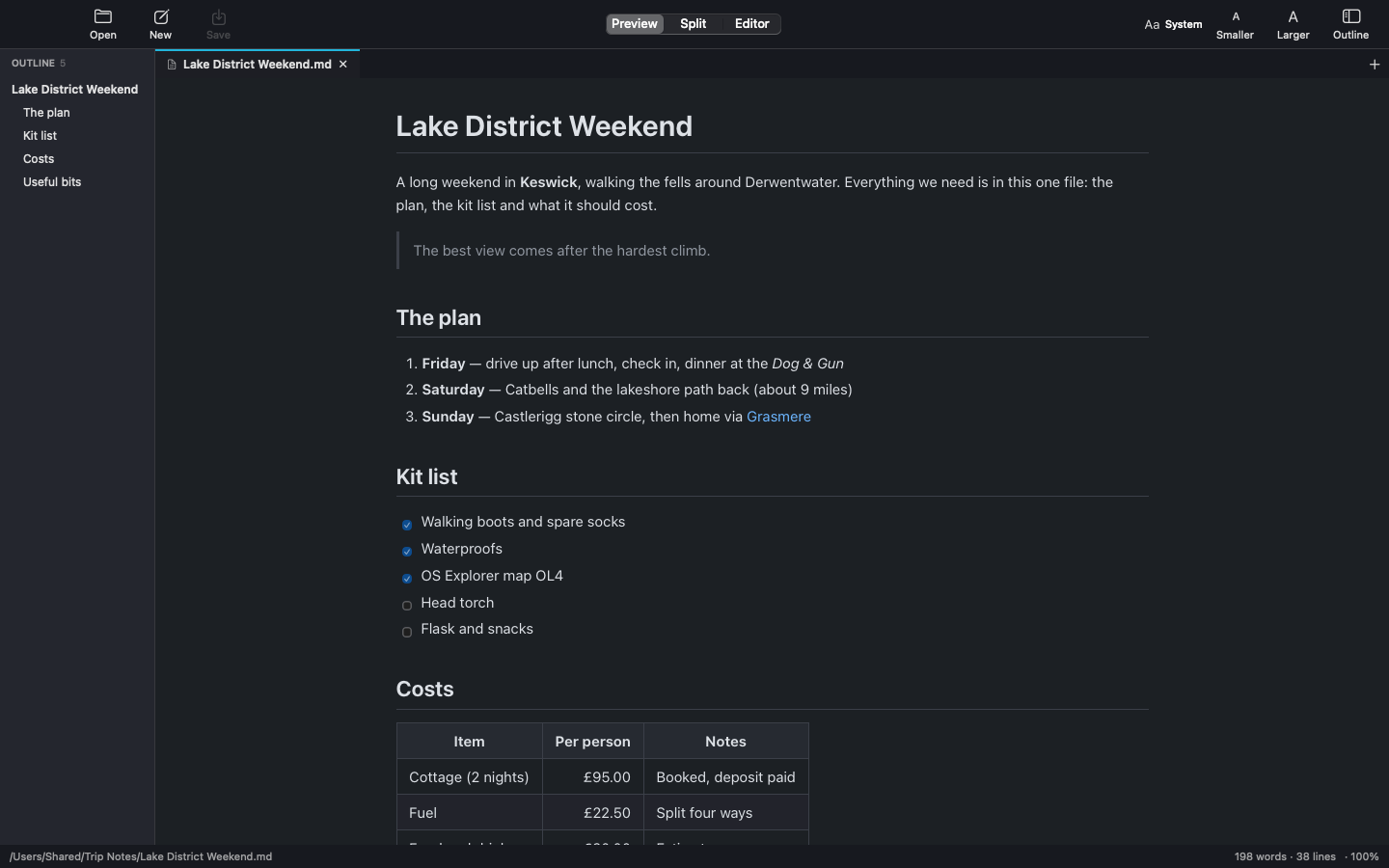
Headings, lists, task lists, tables, quotes, code blocks, footnotes, links and images, laid out as a page you can read.
 MdDesk
Coming soon
MdDesk is a native Markdown viewer and editor for macOS. It shows your .md files as clean, readable pages instead of a screen of symbols, with the source one keystroke away when you want to change something.
Features
Notes, READMEs and documentation open as proper pages. It looks and works like its companion apps, MysqlDesk and GitDesk.
Headings, lists, task lists, tables, quotes, code blocks, footnotes, links and images, laid out as a page you can read.
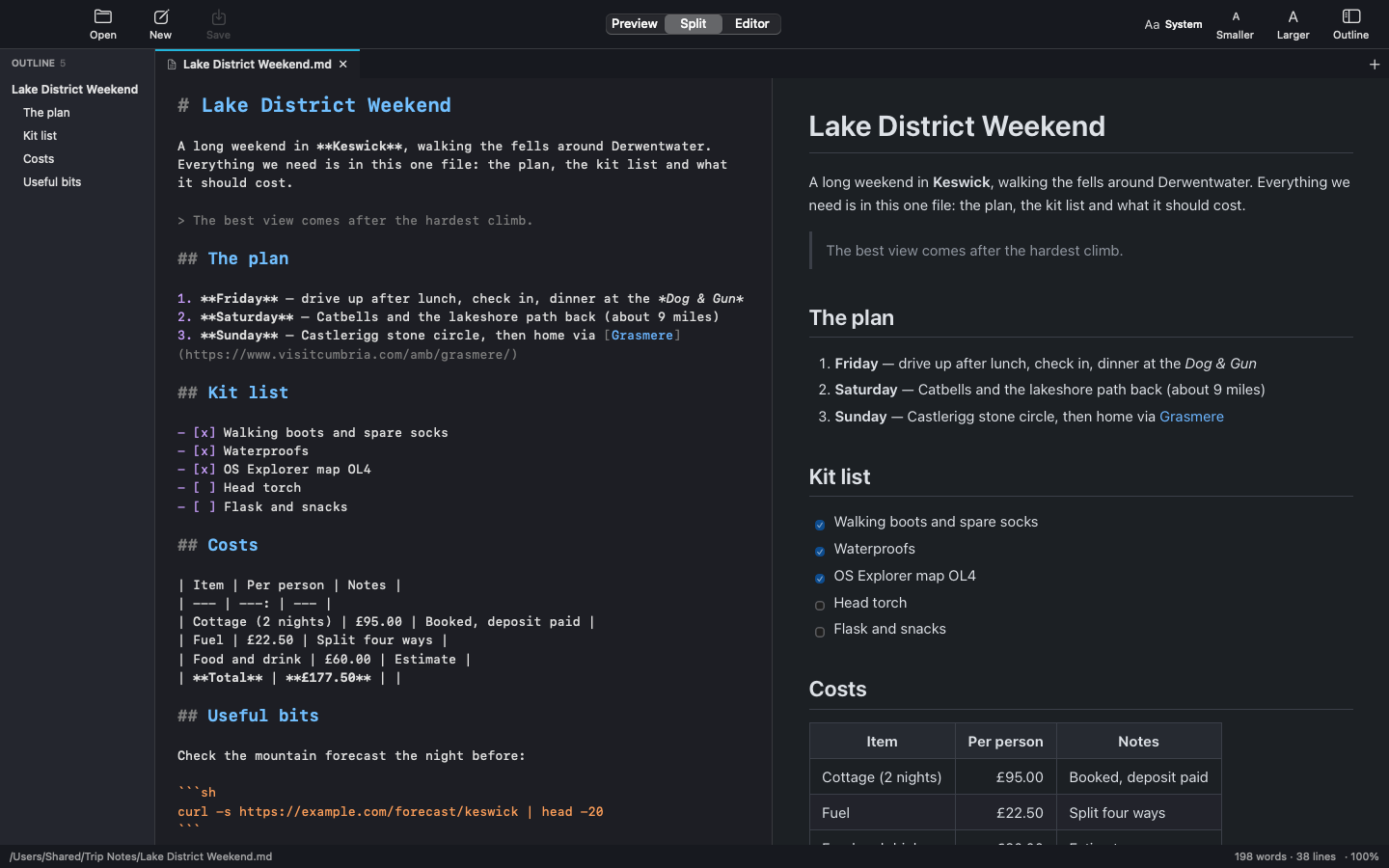
Preview, Editor, or Split with the source on the left and a live preview on the right. ⌘E flips between reading and editing.
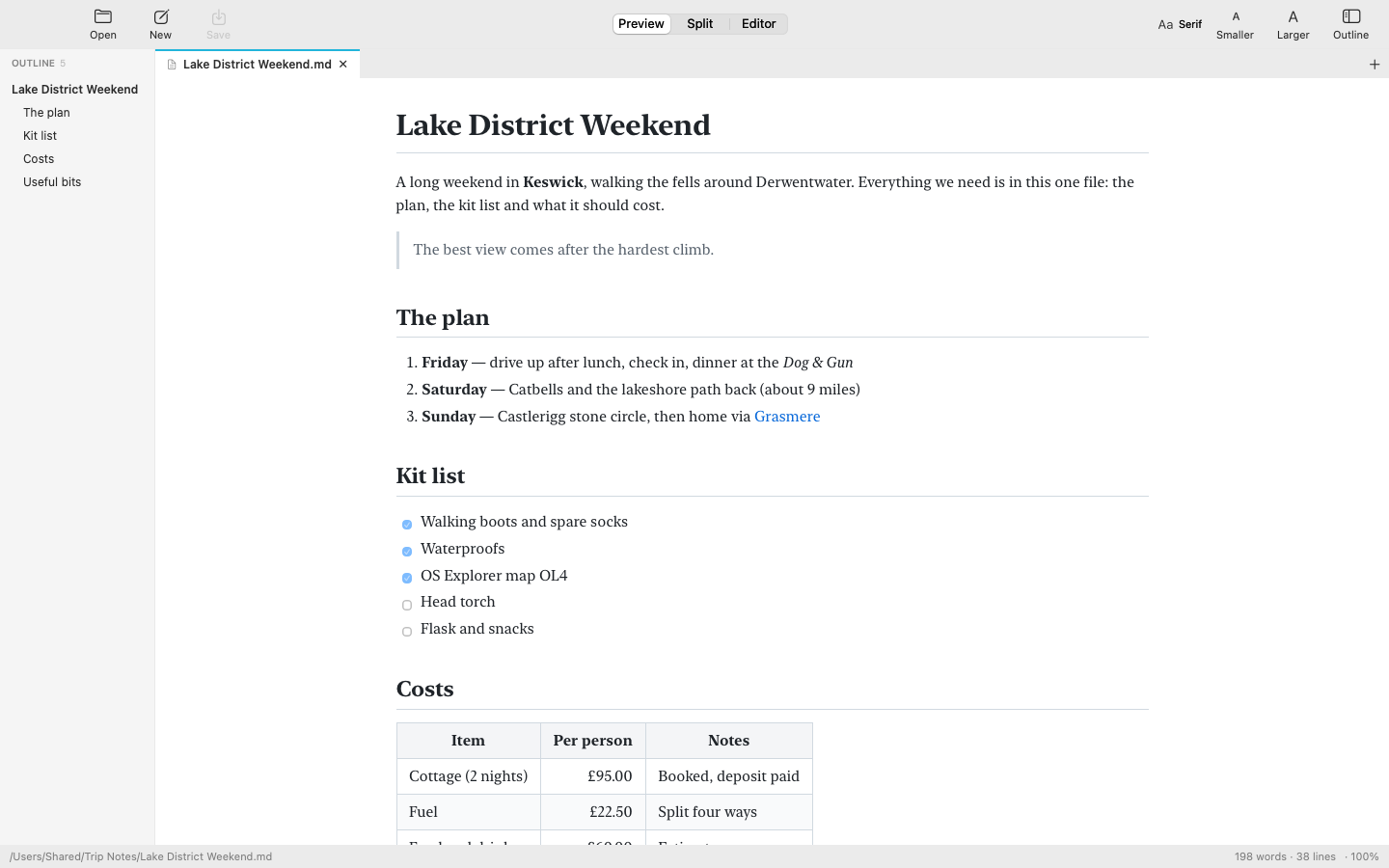
Pick a reading font from the toolbar and resize with ⌘+ and ⌘−. Headings, code and tables all scale together.
The editor styles Markdown as you type, with larger bold headings and coloured code and links. ⌘S saves.
Drop Markdown files on the window or the Dock icon, or open them from Finder. Several files open as tabs.
The document's headings in a sidebar. Click one to jump straight to it, in the preview and the editor.
If another app changes the file you're reading, the page updates by itself. Unsaved edits are never overwritten.
Keep several documents open in tabs. They reopen next time, and recent files are one click away.
⌘F finds in the page or the source. ⌥⌘F replaces in the editor.
Follow the system, or choose light or dark yourself, with a choice of reading widths.
Press Return in a list and the next bullet, number or task box is there for you. Return again ends the list.
Scripts in a document never run, and MdDesk only writes to a file when you save it.
Split view
Type on the left and the page on the right keeps up. The two scroll together, so you always see what you're working on.
Your way
Choose System, Serif, Rounded, Monospaced or any font installed on your Mac, then make everything larger or smaller in one step.
GitHub Flavored Markdown
MdDesk uses GitHub's own Markdown parser, so tables, task lists, strikethrough, footnotes and automatic links all render as you'd expect.
Keyboard shortcuts
Everything in the toolbar has a shortcut.
Get it
MdDesk is coming soon to the Mac App Store for £1.99. It's a one-off purchase, with no subscription.
Press ⌘O, or drop a Markdown file on the window or the Dock icon.
In Finder, select a .md file, choose File → Get Info → Open with → MdDesk and click Change All…
Support
Most questions are answered here. For anything else, send an email and you'll get a reply from the developer.
If a bar at the top asks for permission, click Allow Access… and choose the folder the document is in. Otherwise check the image's path in the source.
Use the Aa menu in the toolbar for the font, and ⌘+ or ⌘− for the size. ⌘0 goes back to actual size.
Open MdDesk → Settings (⌘,) and choose System, Light or Dark. The reading width is there too.
MdDesk reloads it for you. If you have unsaved edits, it asks whether to reload from disk or keep your version.