Commit graph
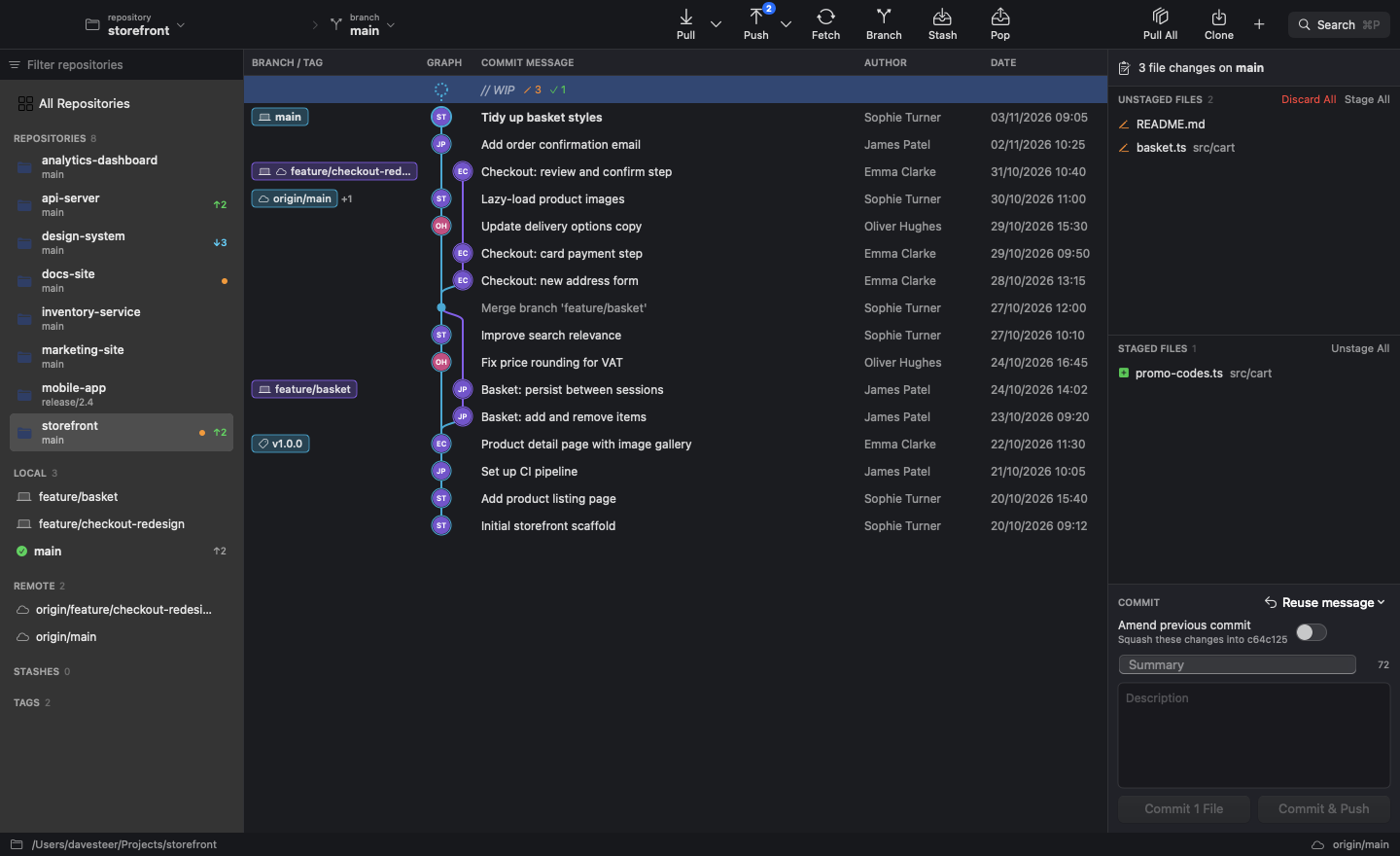
Every branch, remote and tag in colour-coded lanes, with author avatars from Gravatar and clear branch labels.
GitDesk is a fast, native Git client for macOS. It shows your commit graph, pulls all your repositories at once, and lets you squash before you push. It's a 2 MB app, and it's free.
Features
A familiar three-pane layout: repositories on the left, the commit graph in the middle and your changes on the right, with Pull and Push at the top.
Every branch, remote and tag in colour-coded lanes, with author avatars from Gravatar and clear branch labels.
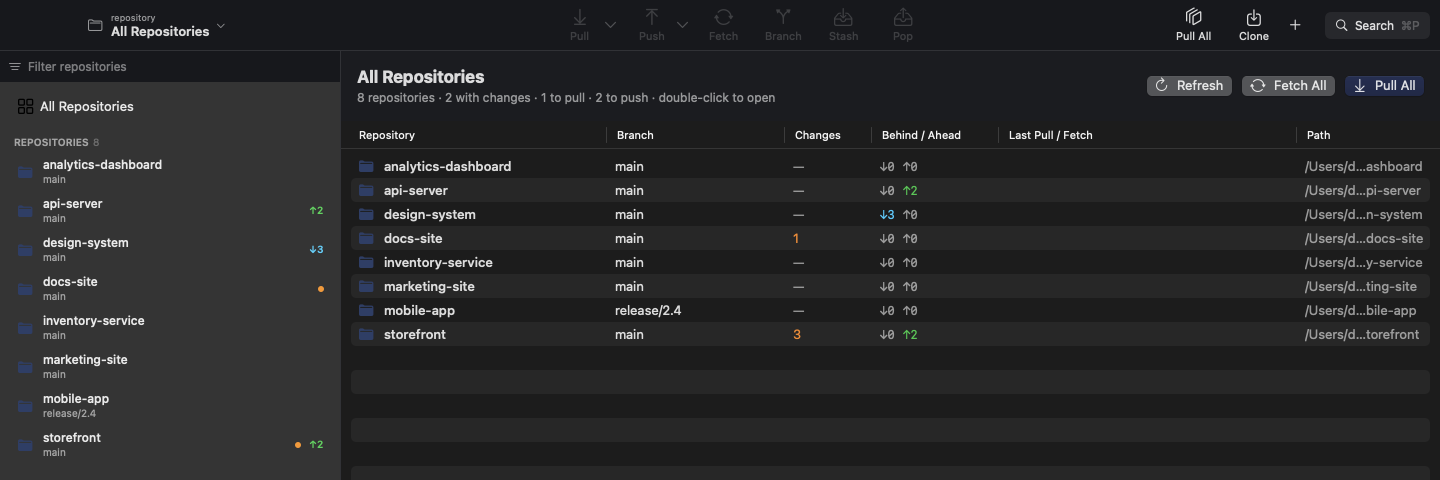
See every repository's branch, changes and ahead/behind counts in one table, then update them all with one click.
Pushing a fix to your last commit? Tick “Amend previous commit” and GitDesk pushes it safely with --force-with-lease.
Use your last message again, or pick from recent ones in any repo. Handy when one task touches several repositories.
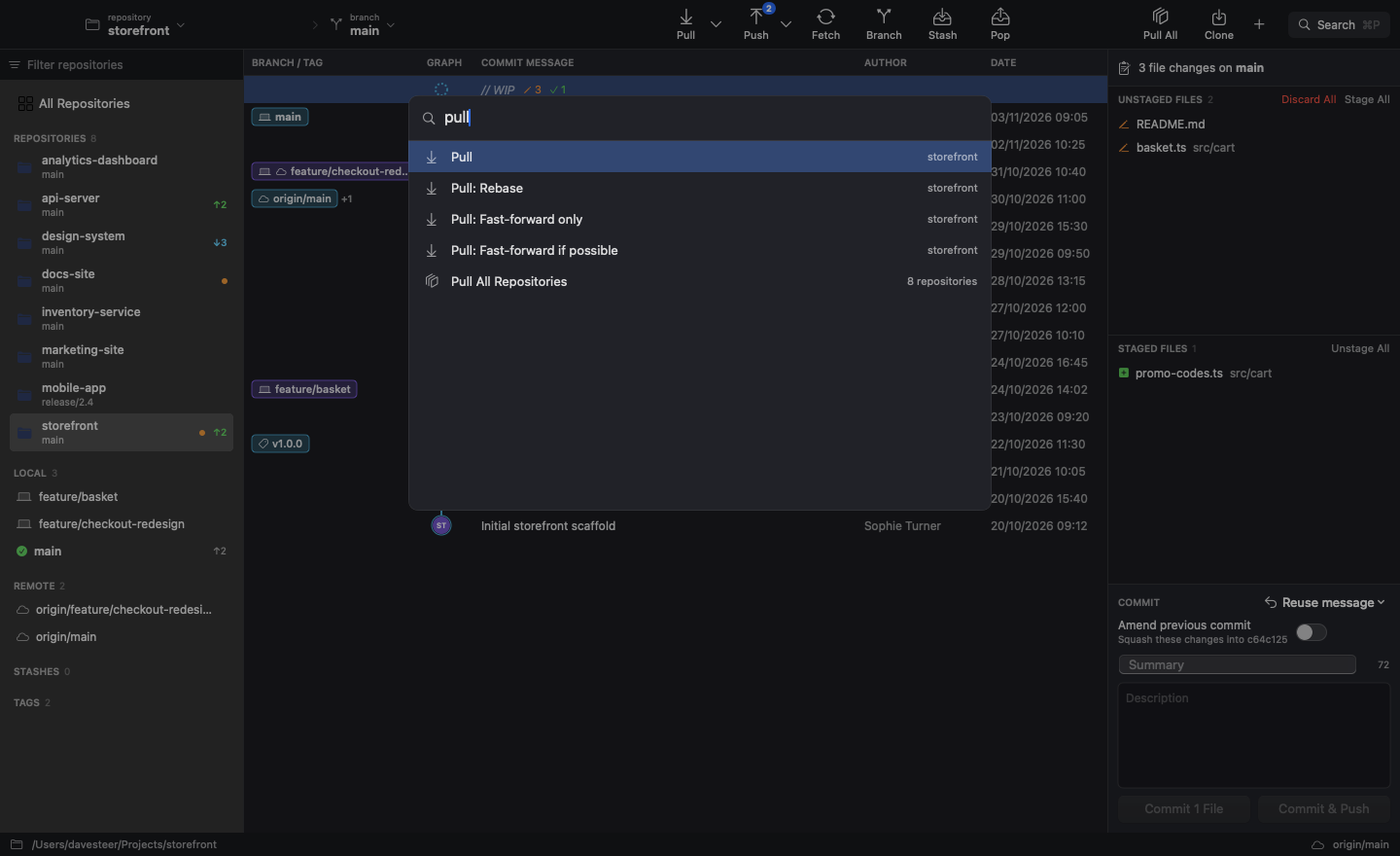
Type a few letters to run an action, jump to a repository or check out a branch, without touching the mouse.
Add repositories one at a time, scan a folder to find them all at once, or clone a new one from its URL.
Stage or discard single files, read line-numbered diffs, and stash and pop your work in progress.
Right-click a changed file to ignore it, the folder it's in, or every file with the same extension.
All Repositories
One view shows every repository you work on. Press Pull All and they're all brought up to date.
Command palette
Every action, repository and branch is a few keystrokes away. Results narrow as you type, and close matches still turn up.
Keyboard shortcuts
Install
Get GitDesk.dmg, the latest version. Older versions are on the releases page.
Open the DMG and drag GitDesk onto the Applications folder.
Launch GitDesk, then add your repositories with ⌘O, or scan a whole folder with ⇧⌘O.
xattr -dr com.apple.quarantine /Applications/GitDesk.app in Terminal. You only need to do this once.
xcode-select --install if you don't have it)